
Schedule Invoices
Release Notes
Release Date: 16 September 2026
Module: Fee Management
Type: Enhancement
Schedule Invoices
Schedule Invoices allows schools to create invoices in advance and set a future date and time for them to be generated automatically. This helps schools plan their invoicing ahead and reduces the need for manual invoice creation on the scheduled date.
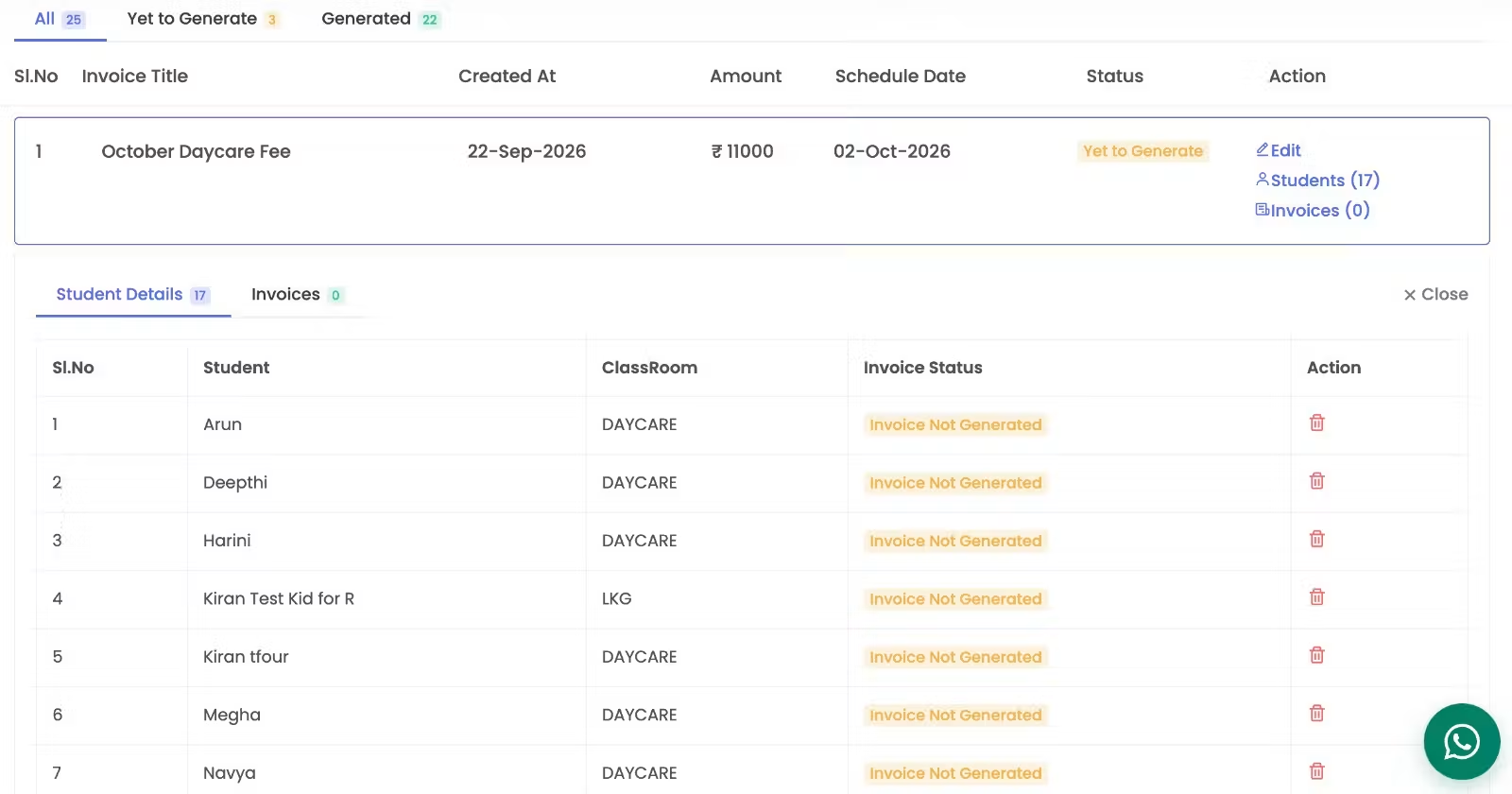
How to Schedule an Invoice
- Click New Invoice.
- Select By Class or By Student.
- Choose the Invoice Template and enter the Invoice Title.
- Enable Schedule Invoice and select the date & time.
- Add the required items.
- Click Create Invoice.
✅ The invoice will be scheduled and automatically generated on the selected date and time.
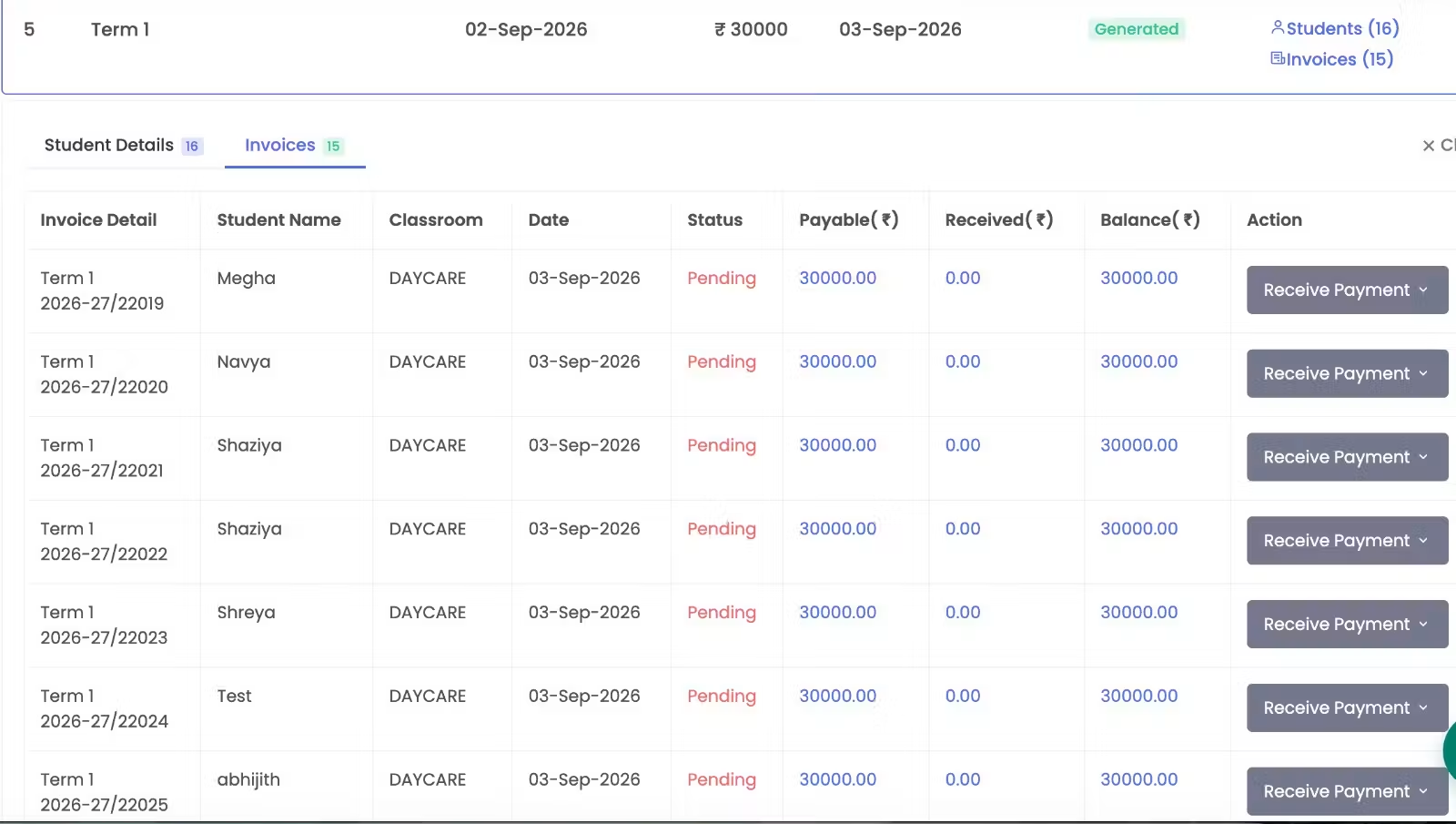
Key Updates:
- Schedule Invoices: Create an invoice today and schedule it for a future date.
- Easy Tracking: View all scheduled invoices in one place with All, Yet to Generate, and Generated statuses.
- Smart Filters: Filter invoices by Class Room, Student, Year, and Schedule Date.
- Inline Details: View student and invoice details directly within the list without opening pop-ups.
- Student-Level Status: Easily track whether an invoice is created, not generated, or deleted.
- Flexible Management: Edit scheduled invoices and remove students before invoice generation.
Why It Helps
Plan ahead. Track easily. Generate automatically.
Schedule recurring or future invoices with less manual effort and get clear visibility into their status at every stage.