
Miscellaneous invoice
Release Date: 31 July 2026
Overview
The Miscellaneous Invoicing module helps schools record, manage, and track miscellaneous income that is not part of the regular fee structure.
It provides a centralized place to create customers, generate invoices, receive payments, and monitor outstanding balances with complete visibility.
This module improves financial tracking by maintaining a clear record of all miscellaneous invoices and their payment status.
Purpose
The Miscellaneous Invoicing module enables schools to:
- Record miscellaneous income in a structured manner.
- Create invoices for individuals or organizations.
- Track invoice payment status.
- Maintain customer records.
- Monitor pending and received amounts.
- Generate reports for better financial tracking.
- Manage all sources of income at one place.
Dashboard Overview
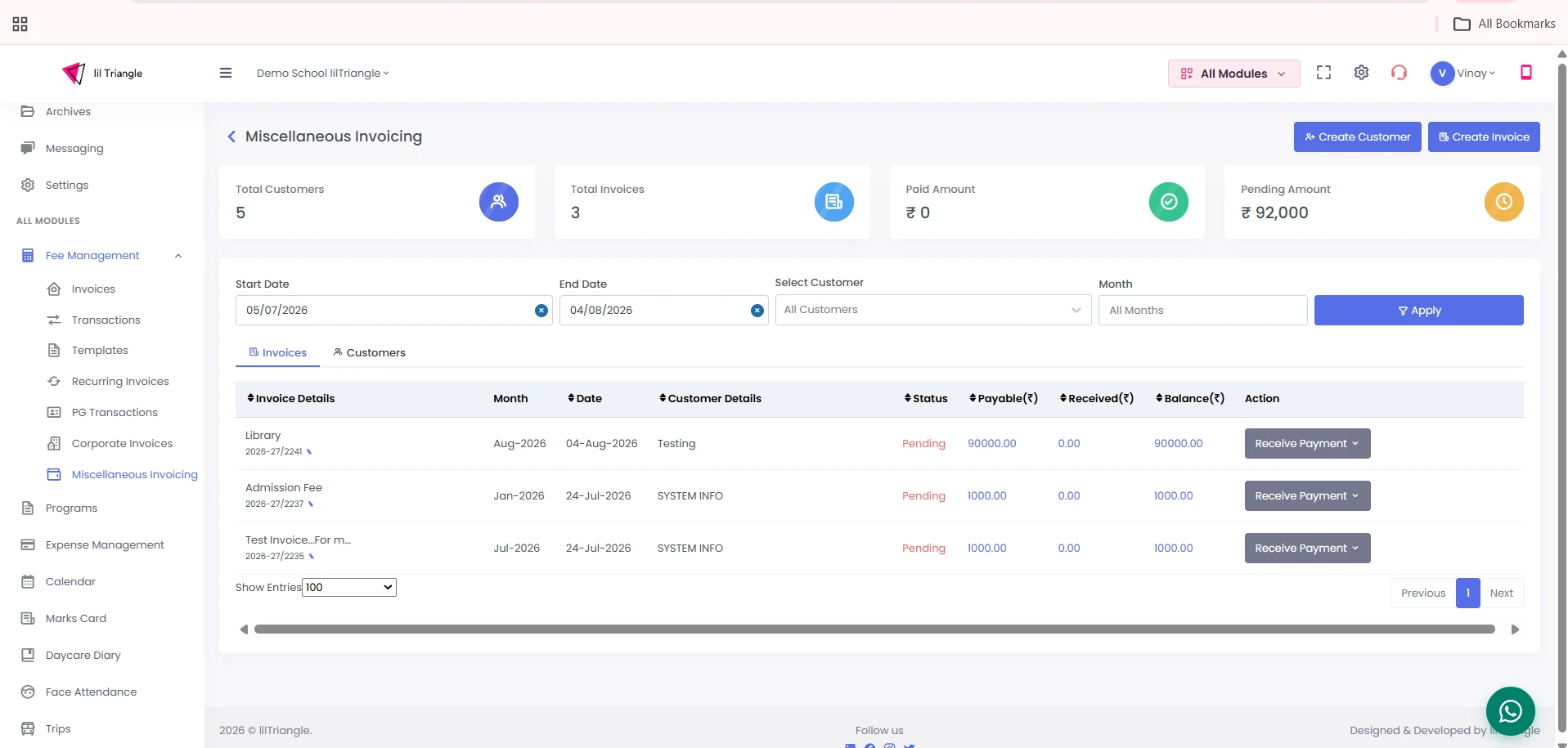
The dashboard provides a quick summary of:
- Total Customers – Number of customers created.
- Total Invoices – Total miscellaneous invoices generated.
- Paid Amount – Total amount received.
- Pending Amount – Outstanding amount yet to be collected.
Additional options include:
- Create Customer
- Create Invoice
- Invoice & Customer tabs
- Filters
- Payment Tracking
How to Add a Customer
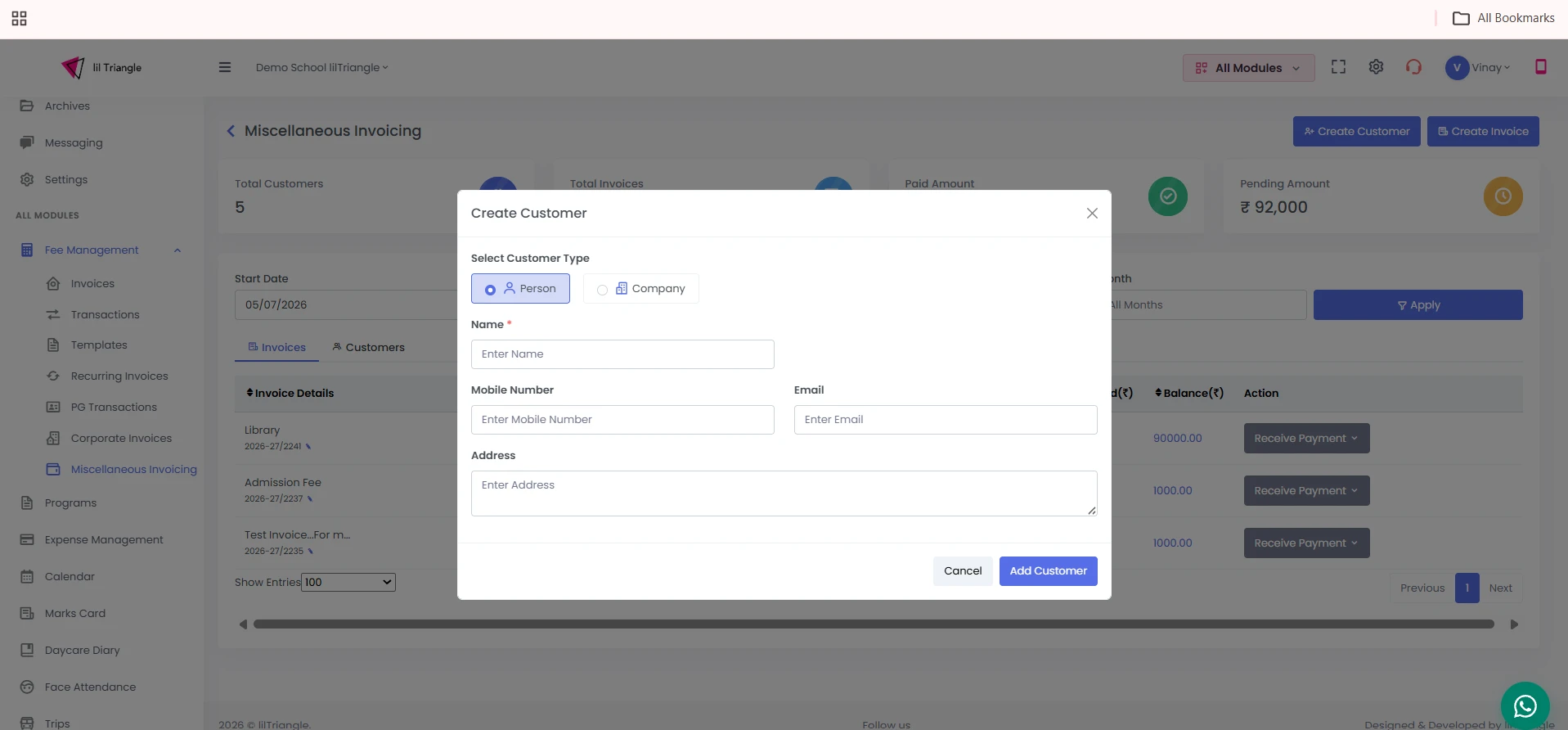
Before creating an invoice, a customer must be added.
Steps
- Navigate to Fee Management → Miscellaneous Invoicing.
- Click Create Customer.
- Select the Customer Type:
- Person
- Company
- Enter the required details:
- Name
- Mobile Number
- Email (Optional)
- Address
- Click Add Customer.
The customer is now available for invoice creation.
How to Create a Miscellaneous Invoice
After creating a customer:
Steps
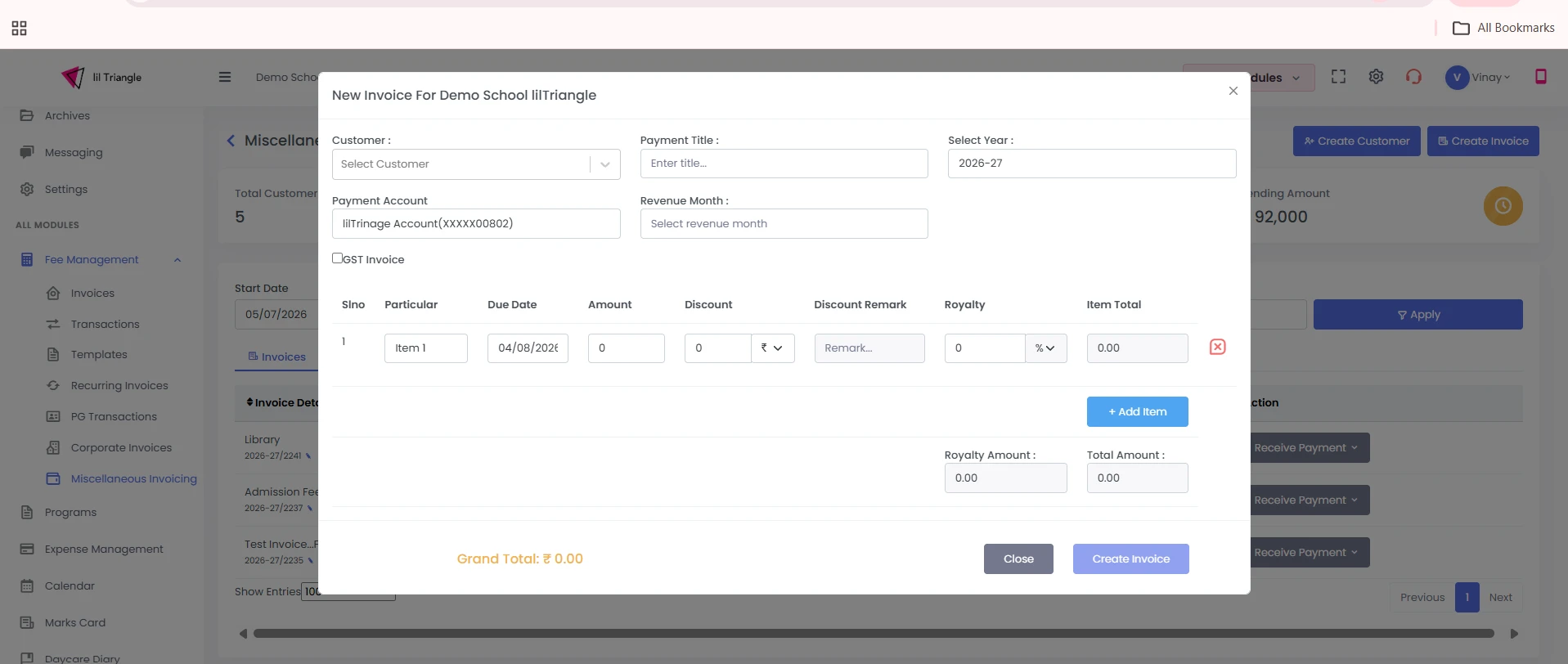
- Click Create Invoice.
- Select the customer.
- Enter invoice details.
- Add invoice information such as:
- Invoice Name
- Invoice Date
- Amount
- Description (if applicable)
- Review the details.
- Click Create Invoice.
The invoice is generated and listed under the Invoices tab.
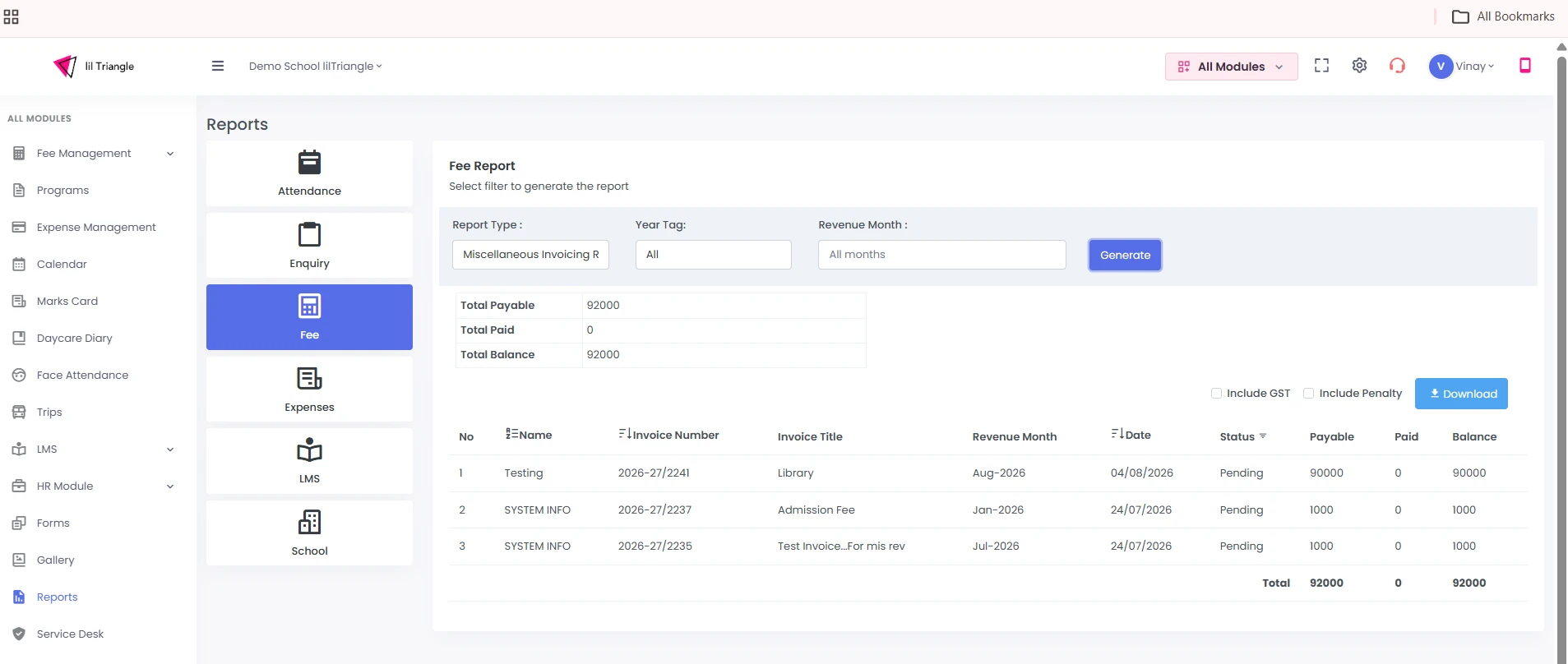
Download Miscellaneous Invoice report
Under the Reports module, navigate to the Fee section to generate a comprehensive Miscellaneous Invoice report.
Conclusion
The Miscellaneous Invoicing module provides schools with a simple and efficient way to record, manage, and track miscellaneous income. By enabling customer management, invoice creation, payment recording, and status tracking in one place, it helps maintain organized financial records and improves overall operational efficiency.