
🚌 lilTrips Release Notes — v40 (2.30)
Release Date: 09 July 2026
NEW · CHILD-SAFETY UPDATE
Every child now has a verified, timestamped journey — from pickup to drop-off — with real-time notifications for parents and full visibility for schools.
| Product | lilTrips (Driver & Helper App) + lilTriangle Dashboard |
| Release | July 2026 |
| Audience | Schools & Parents |
| Applies to | Pickup trips, Drop trips & School dashboard |
🚀 What's New
lilTrips now records attendance for every child on every trip. Drivers and helpers confirm each child individually as they get on and off the bus, and each action instantly notifies the parent through the lilTriangle app while feeding a complete record into the school dashboard.
Pickup Attendance
Mark each child as Picked Up as they board. Parents are notified the moment their child is on the bus.
Drop Attendance
Two-step safety flow: mark Boarded at school, then Dropped at the stop. Parents notified on drop.
Dashboard Records
Schools see who boarded, who was dropped, exact times, and trip duration for every trip.
🚏 Pickup Trips
During a pickup trip, the driver confirms each child as they board the bus.
- Driver starts the trip — Parents are notified the pickup has begun; the driver sees only the children on this trip, all starting as Pending.
- Select and mark children as Picked Up — As each child boards, the driver selects them and taps Mark as Picked. Tapping a child also lets the driver Call the parent.
- Parent is notified instantly — The child moves from Pending to Picked-Up and their parent receives a notification in the lilTriangle app.
- Finish the trip — Once children are picked up, the driver taps Finish Trip to complete the pickup.
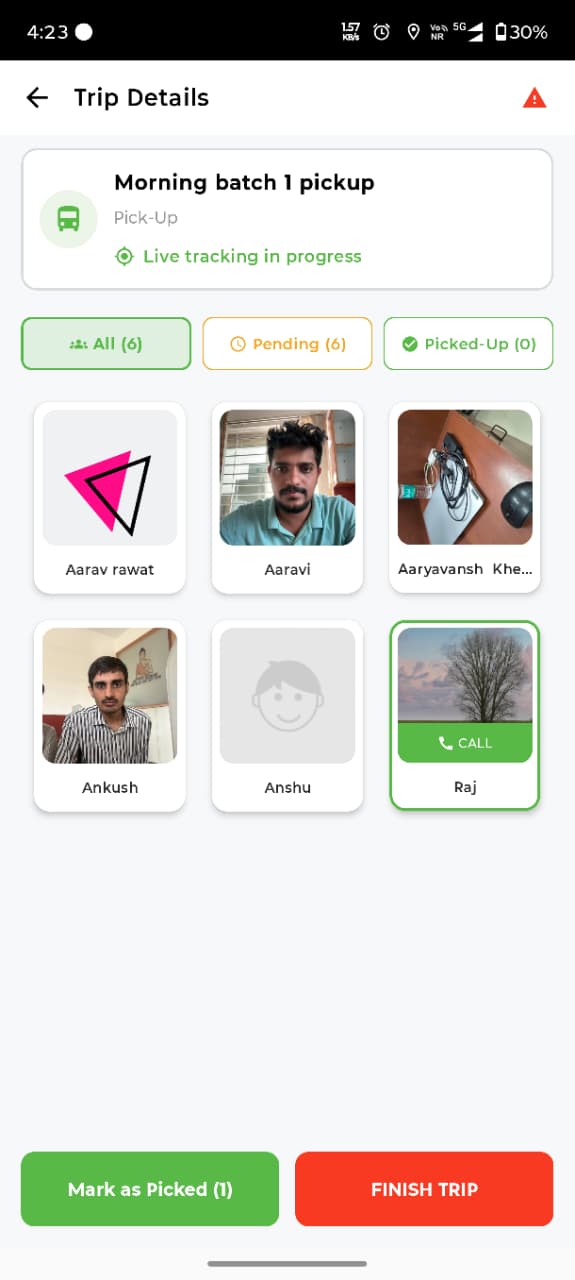
Tabs at a glance: The All, Pending, and Picked-Up tabs always show live counts, so the driver knows exactly who is still to board.
👨👩👧 For Parents: You'll get a notification when your child is picked up — not just when the bus starts. No more wondering whether they made it onto the bus.
🏫 Drop Trips
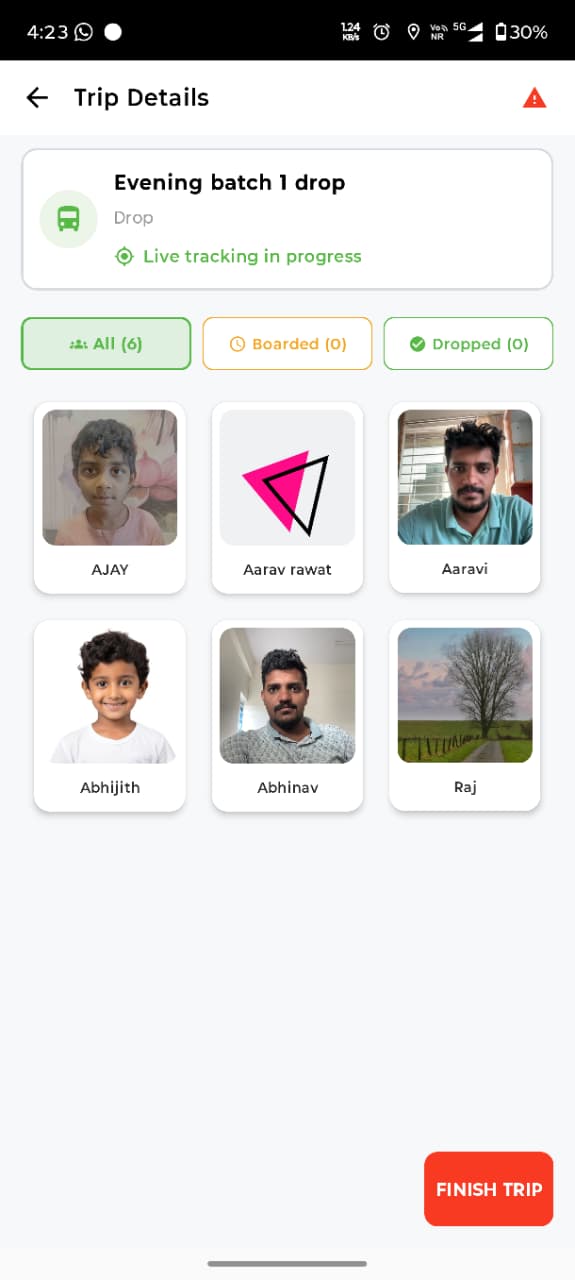
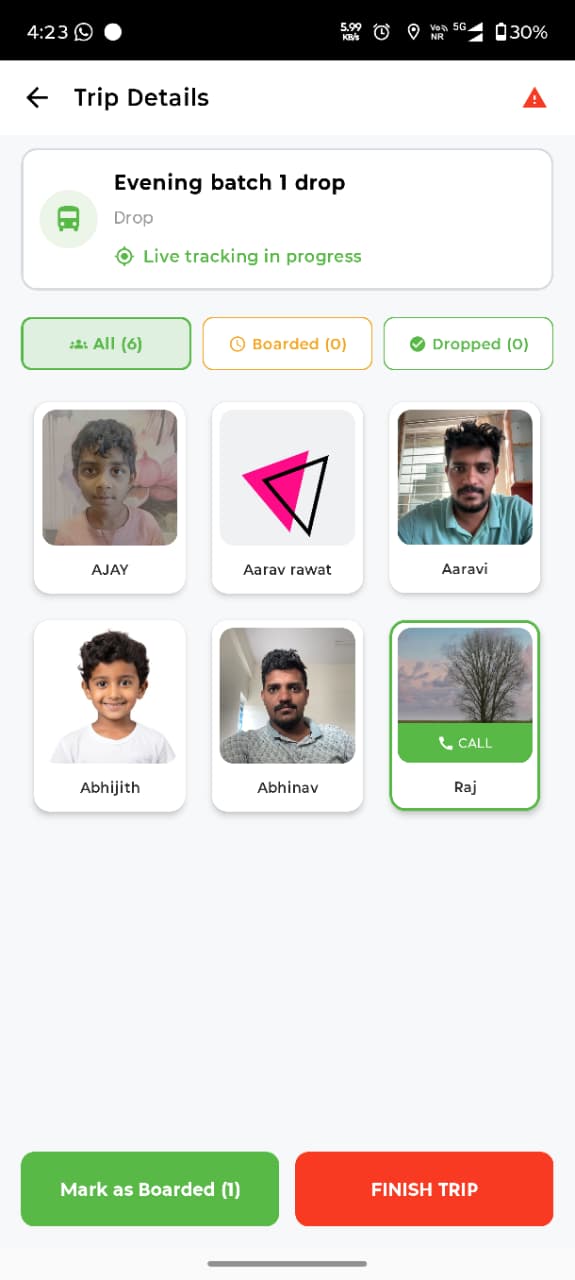
Drop trips use a two-step confirmation designed for child safety: a child must first be Boarded at school before they can be Dropped at their stop.
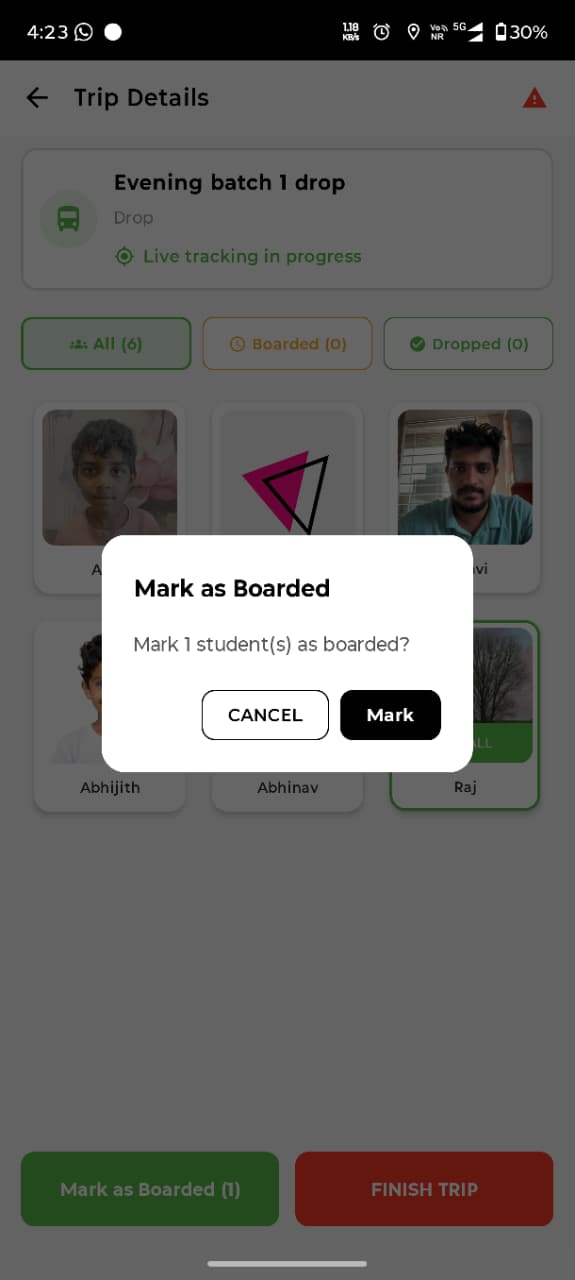
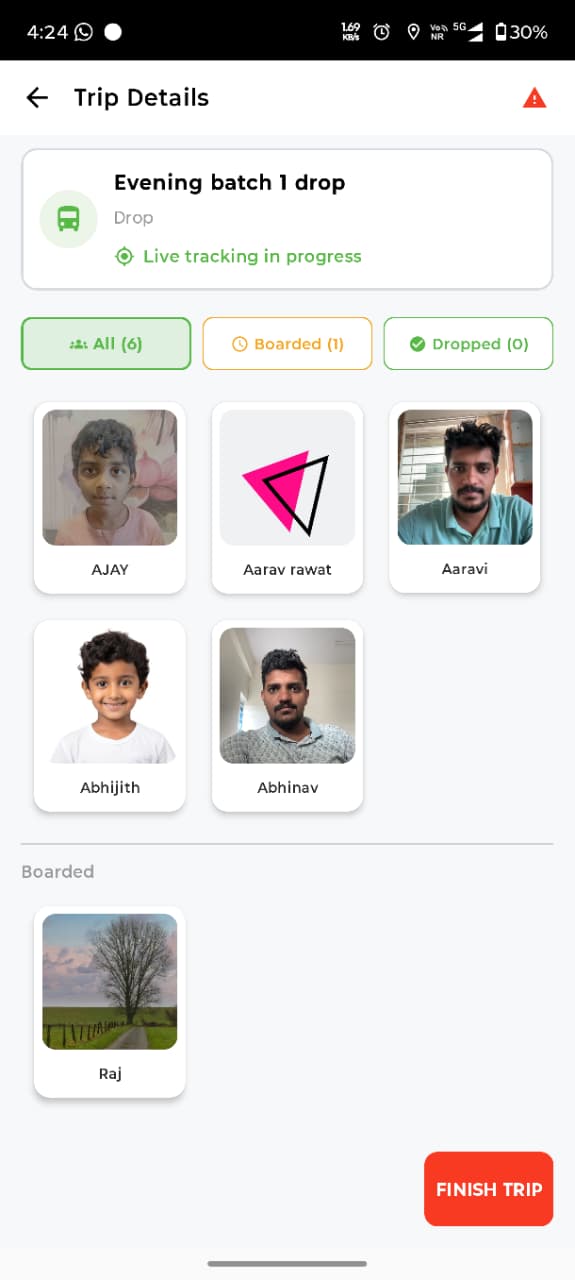
- At school — mark children as Boarded — The driver selects the children on the bus and taps Mark as Boarded; a dialog confirms the count before saving.
- At each stop — mark children as Dropped — Boarded children move to a separate list. As the bus reaches each stop, the driver marks the child Dropped and the parent is notified.
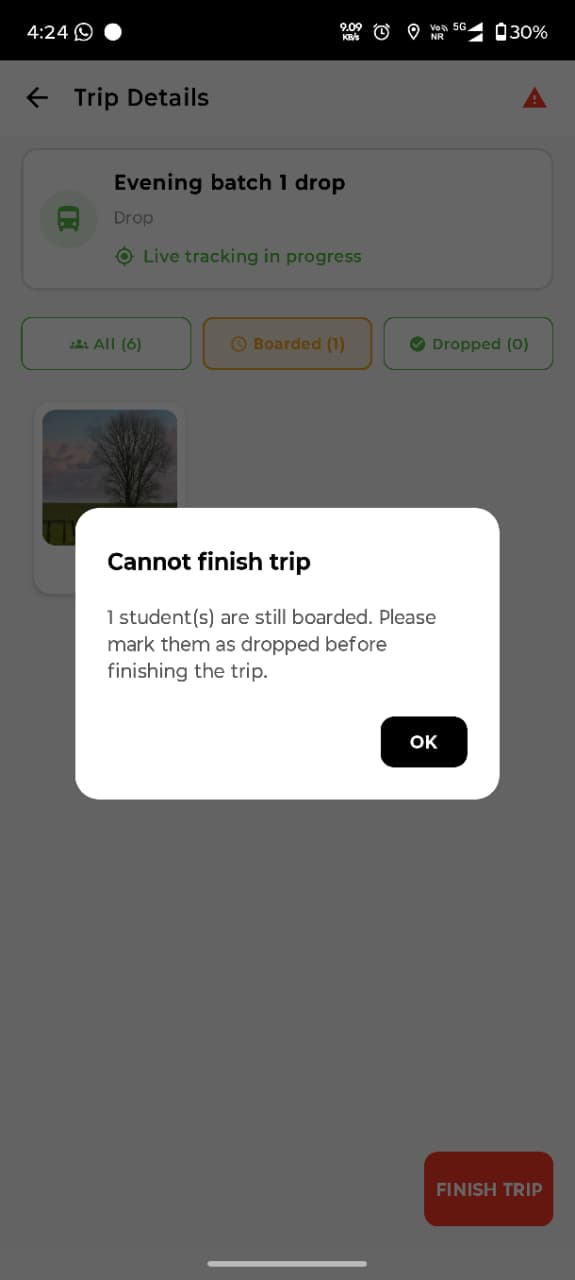
- Finish the trip — with a safety check — The trip can only be finished once every boarded child has been dropped.
🔒 No child left behind
If any child is still marked Boarded but not yet Dropped, the app blocks the trip from finishing:
"Cannot finish trip — 1 student(s) are still boarded. Please mark them as dropped before finishing the trip."
👨👩👧 For Parents: You'll be notified the moment your child is dropped at their stop — clear confirmation that they've safely left the bus.
📊 School Dashboard
Everything drivers record on the road flows into the lilTriangle dashboard, giving schools a complete, timestamped view of each trip.
Trip Logs
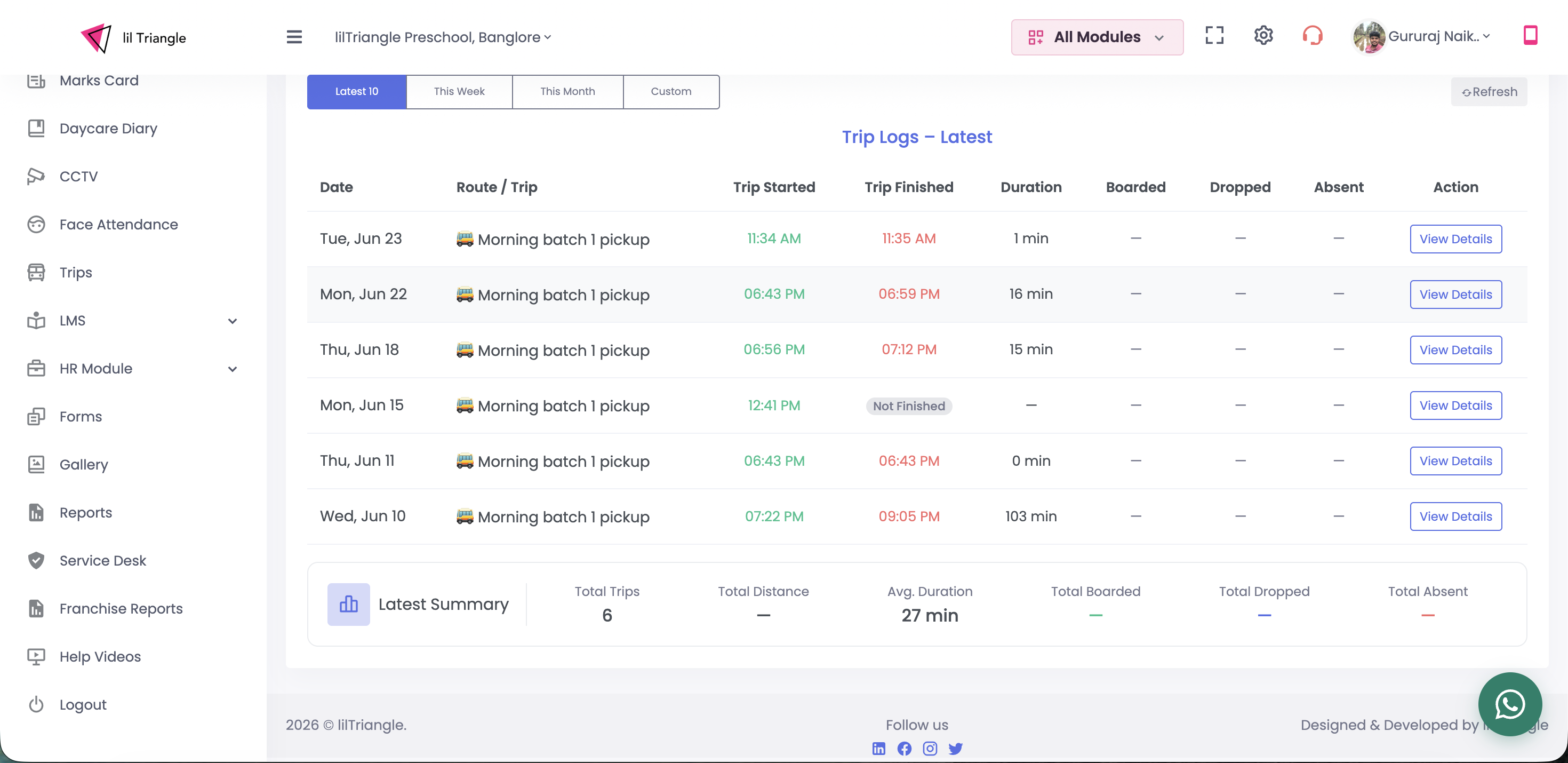
Under Trips, schools see a log of recent trips with date, route, start & finish times and duration. Trips started but not completed are flagged Not Finished. Filters cover Latest 10, This Week, This Month or a Custom range, with a running summary.
Trip Details & Attendance
Opening View Details shows the full trip: a timeline of start / boarding / finish, attendance totals, and every child's individual status with their boarded and drop times — a complete audit trail.
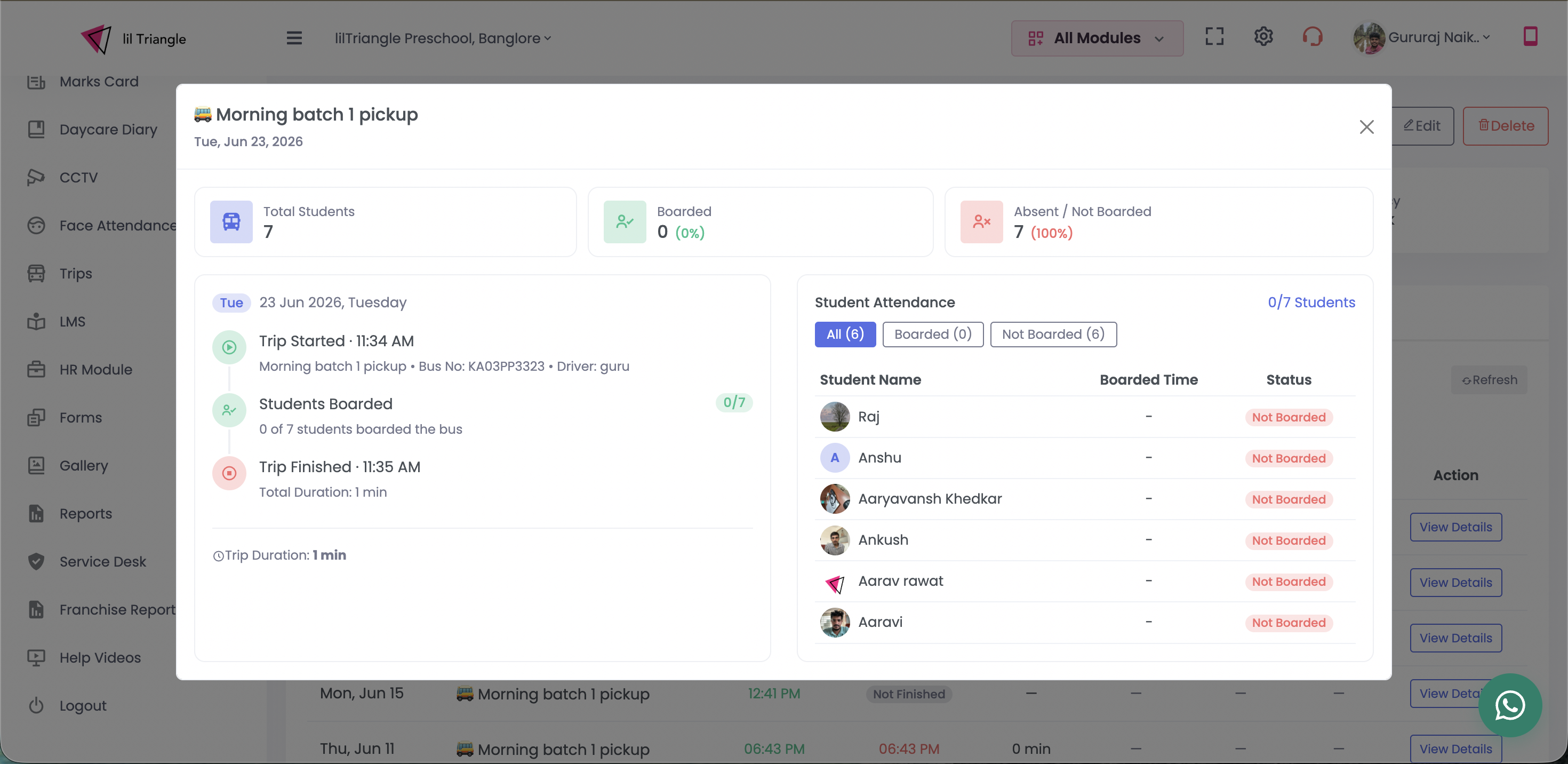
🏫 For Schools: You now have an accurate, per-child record for every trip — useful for answering parent queries, confirming safe drops, and reviewing route timings.
👀 At a Glance
| Trip type | Driver marks | What happens |
|---|---|---|
| Pickup | Picked Up (as child boards) | Parent notified their child is picked up |
| Drop | Boarded at school, then Dropped at stop | Parent notified their child is dropped |
Who gets notified
| When | Notified | Message |
|---|---|---|
| Trip starts | School | Trip started |
| Child picked up (pickup trip) | Parent | Child picked up |
| Child dropped (drop trip) | Parent | Child dropped |
| Trip finishes | School | Trip finished |
Schools are notified when a trip starts and finishes; parents are notified when their own child is picked up or dropped. Trips with drop attendance cannot be finished while any child remains boarded, ensuring every child is accounted for before a trip is closed.
📱 Version Information
| Application | Version |
|---|---|
| lilTrips | v40 (2.30) |
Summary
🚌 lilTrips Update — v40 (2.30)
We've added Trip Attendance to lilTrips! 🎉
- ✅ Pickup: Drivers now mark each child as Picked Up — parents get notified instantly.
- ✅ Drop: Drivers mark kids Boarded at school, then Dropped at their stop — parents get notified on drop.
- 🔒 Safety First: A trip can't be finished until every boarded child is dropped.
- 📊 School Dashboard: Schools can view boarded and dropped times along with complete trip details.
This update helps schools improve transportation safety, increase visibility, and keep parents informed throughout every trip.