
Message beautification With Tone
Say it in the right tone, every time.
Release Date: 14 August 2026
A new AI Tone Selector has been introduced in the Messaging module to help users create clearer, more polished messages in seconds.
- Module: Messaging
- Document Type: Enhancement / Release Highlights
📌 OVERVIEW: Enhancement at a Glance
The AI Assistant in message compose now goes beyond fixing your text — teachers can choose the tone that fits the situation, and the assistant rewrites the message to match. Clean grammar, correct spelling, and the right voice, in one tap — in the app and on the web dashboard.
A real example from the new flow — typos fixed and the message reshaped for a professional voice.
Instead of manually rewriting a message, users can simply:
Type → Beautify Message → Select Tone → Enhance → Send
💡 Why it helps
Users can create professional, polished and appropriately worded messages without spending additional time rewriting them manually.
The AI-powered message enhancement experience is available on the Android, iOS applications and Web as well.
How it works
Three quick steps, right inside the compose screen you already use.
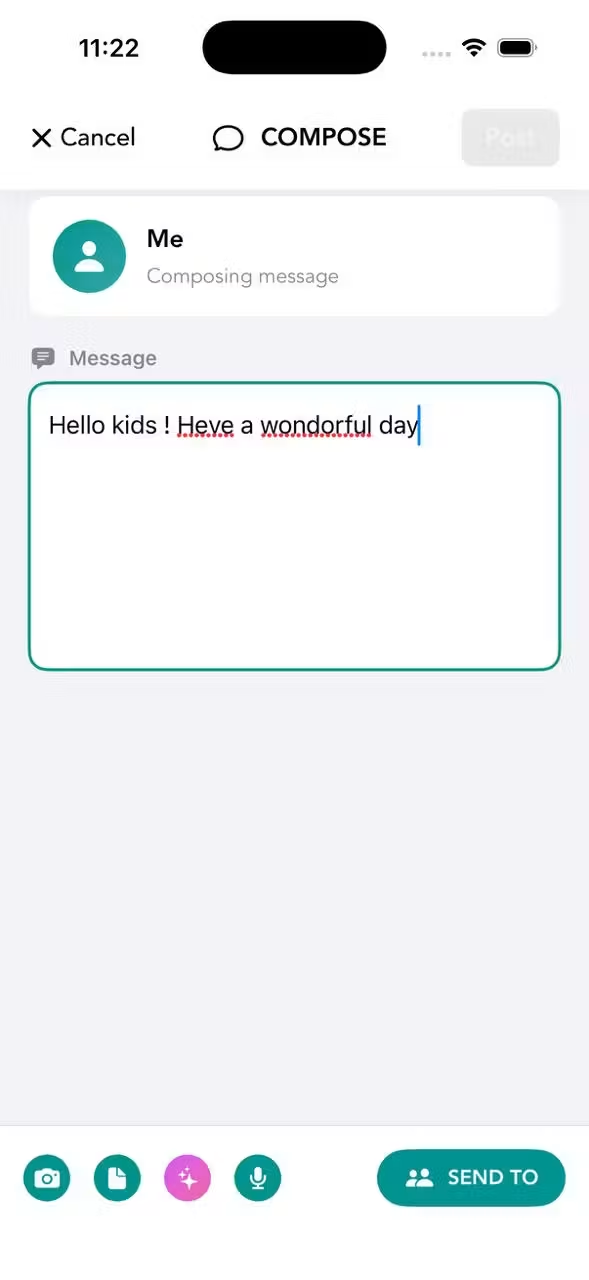
Type your message as usual, then tap the AI Assistant button in the compose toolbar. Don't worry about typos — the assistant will handle them.
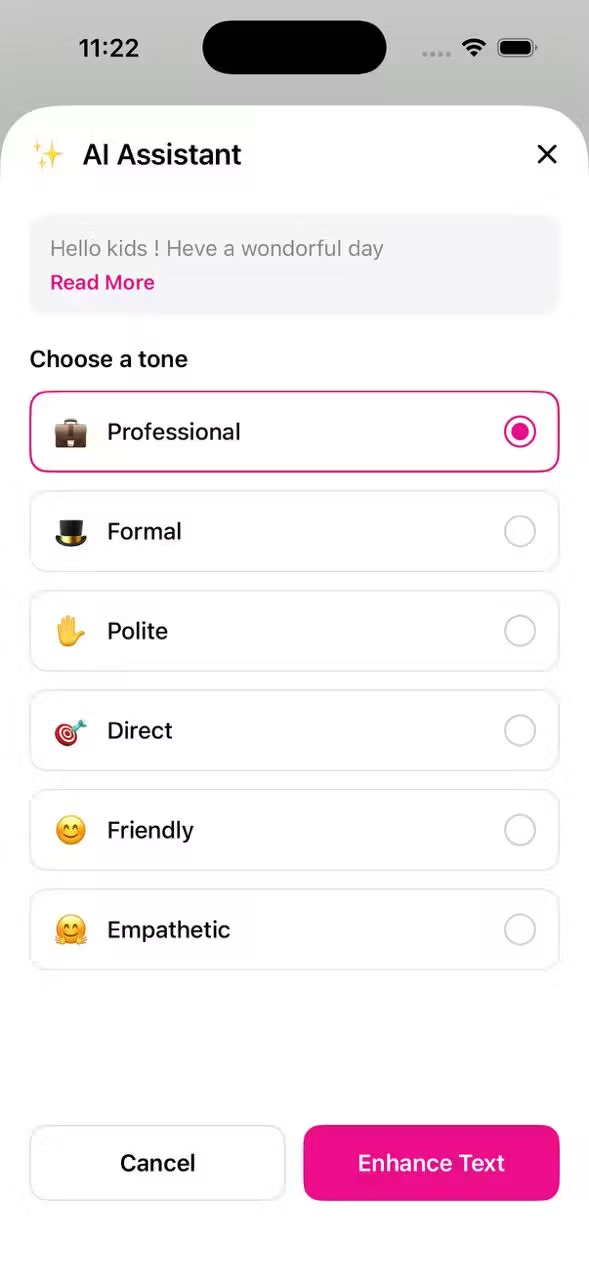
Pick the voice that fits the moment — a fee reminder reads differently from a festival greeting. Tap Enhance Text to continue.
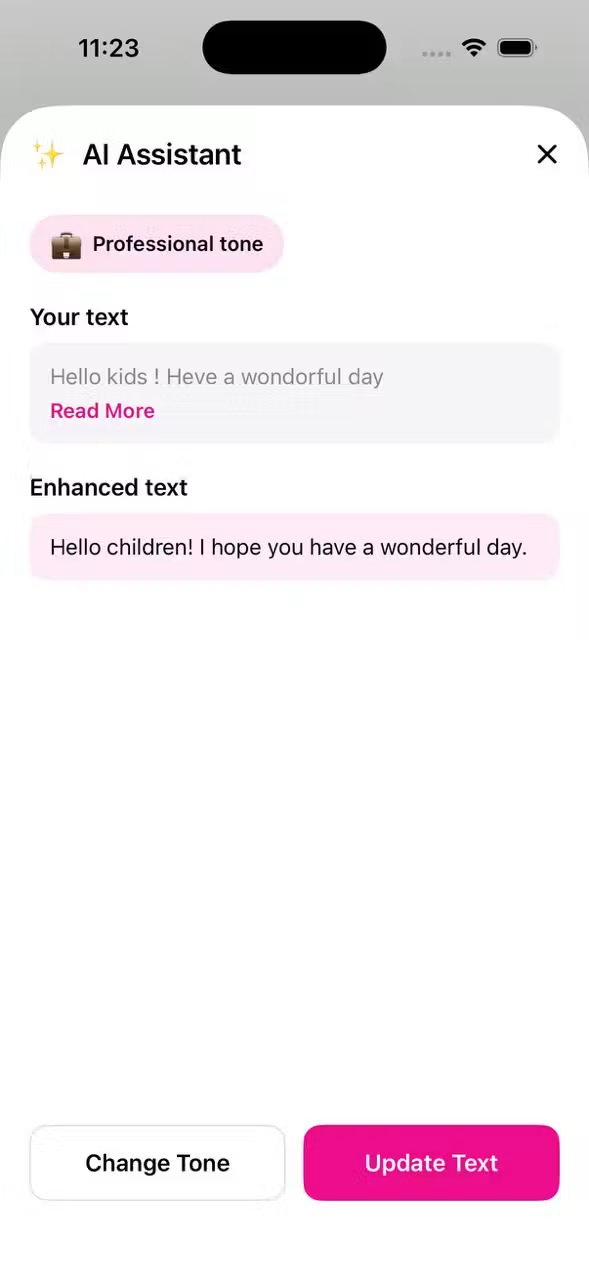
See your original and the enhanced version. Happy with it? Tap Update Text. Want a different feel? Change Tone and try again.
🎯 Message Creation Made Easier
The AI Tone Selector makes it easier to adapt a message based on the communication style required.
⭐ Release Highlight
One message. Multiple tones. One click to enhance.
With the new AI Tone Selector, users can turn a simple message into a polished communication before sending it to parents, teachers or other recipients.