
Leave Management – Release Notes
Leave Management :
Release Date: 28 August 2026
Module: Leave Management
Type: Enhancement
What’s New?
Leave Management has been improved to make leave configuration, tracking, and reporting easier for schools.
Key Updates
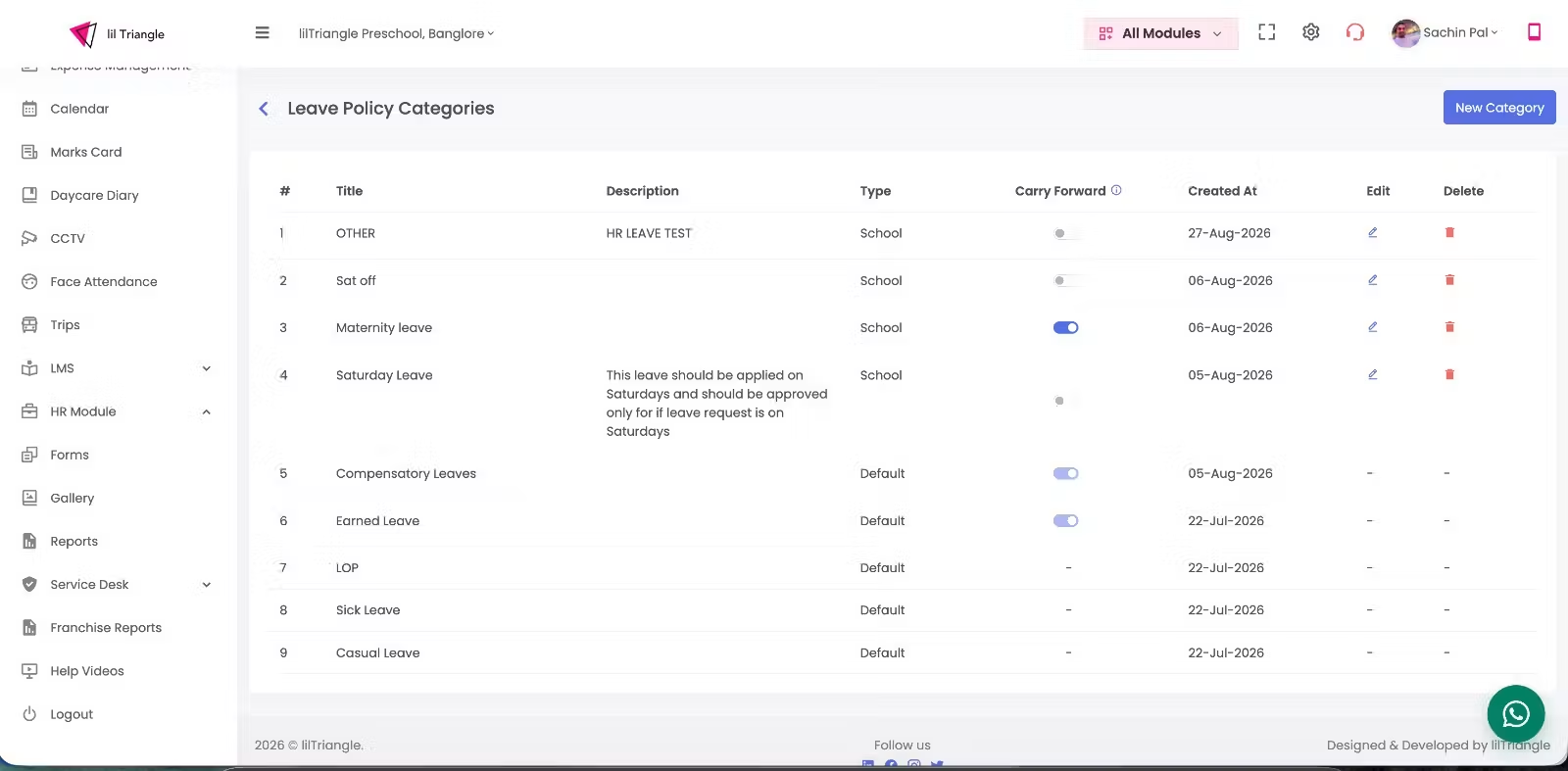
1. Leave Policies
- Seamless Policy Transfer: Transfer employees from one leave policy to another while carrying forward their existing leave balances.
- Employee Leave Category: Add a dedicated leave category for employees within an existing leave policy.
- Leave Balance Management: Allow administrators to edit and update employee leave balances.
- Pro-Rata Policy Assignment: Assign leave policies to employees on a pro-rata basis based on their joining date or tenure.
2. Update Allocation
- Update staff leave allocation using half-day increments.
- View the new balance before saving.
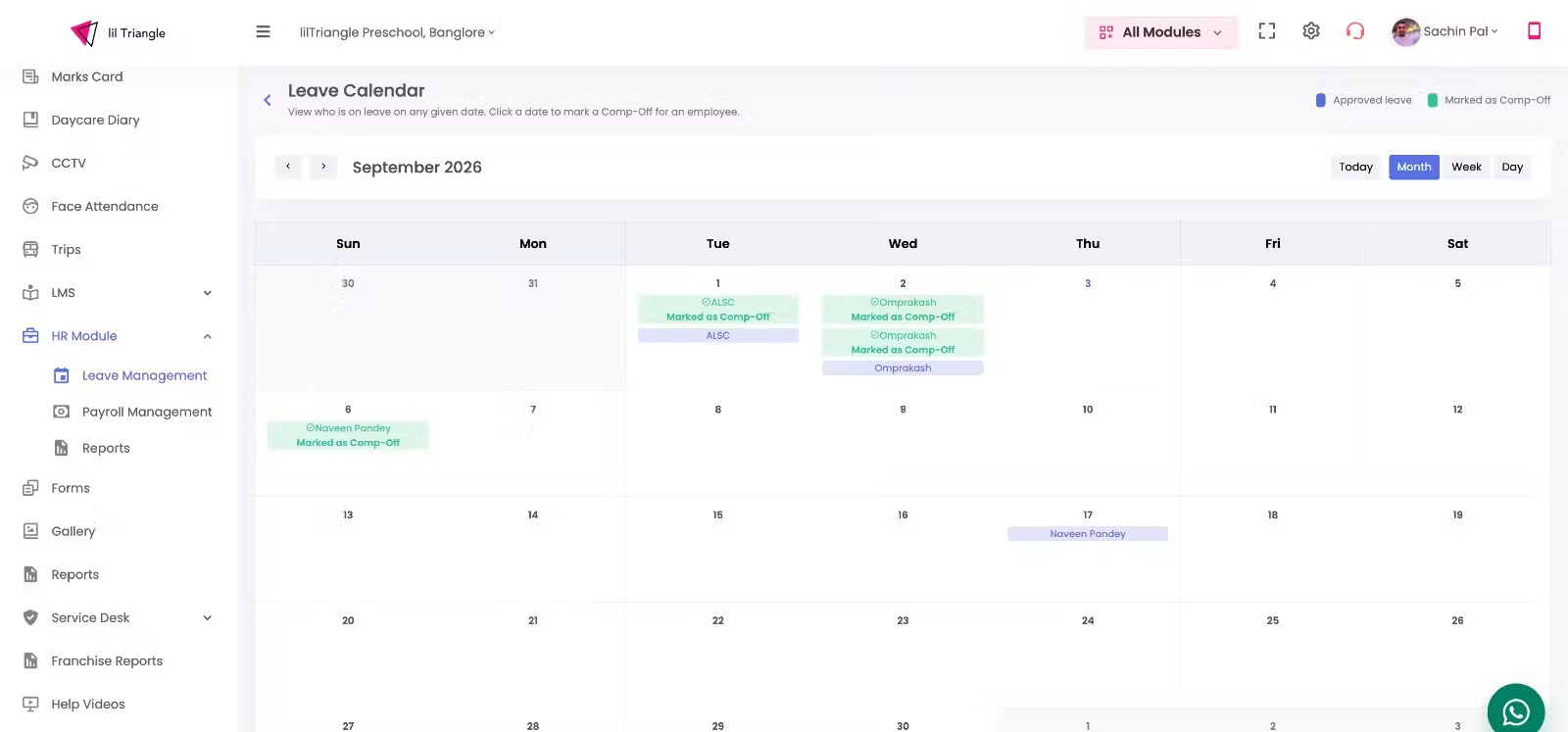
3. Leave Calendar & Comp-off
- Mark Full Day or Half Day Comp-Off.
- Comp-Off credits are added to the employee’s leave balance immediately.
- View school-wide leaves in a monthly calendar.
- Easily identify approved leaves and Comp-Offs.
Comp-off:
Comp-Off (Compensatory Off) is a leave given to an employee as compensation for working on a holiday or scheduled day off.
- Mark Full Day or Half Day Comp-Off.
- Comp-Off credits are added to the employee’s leave balance immediately.
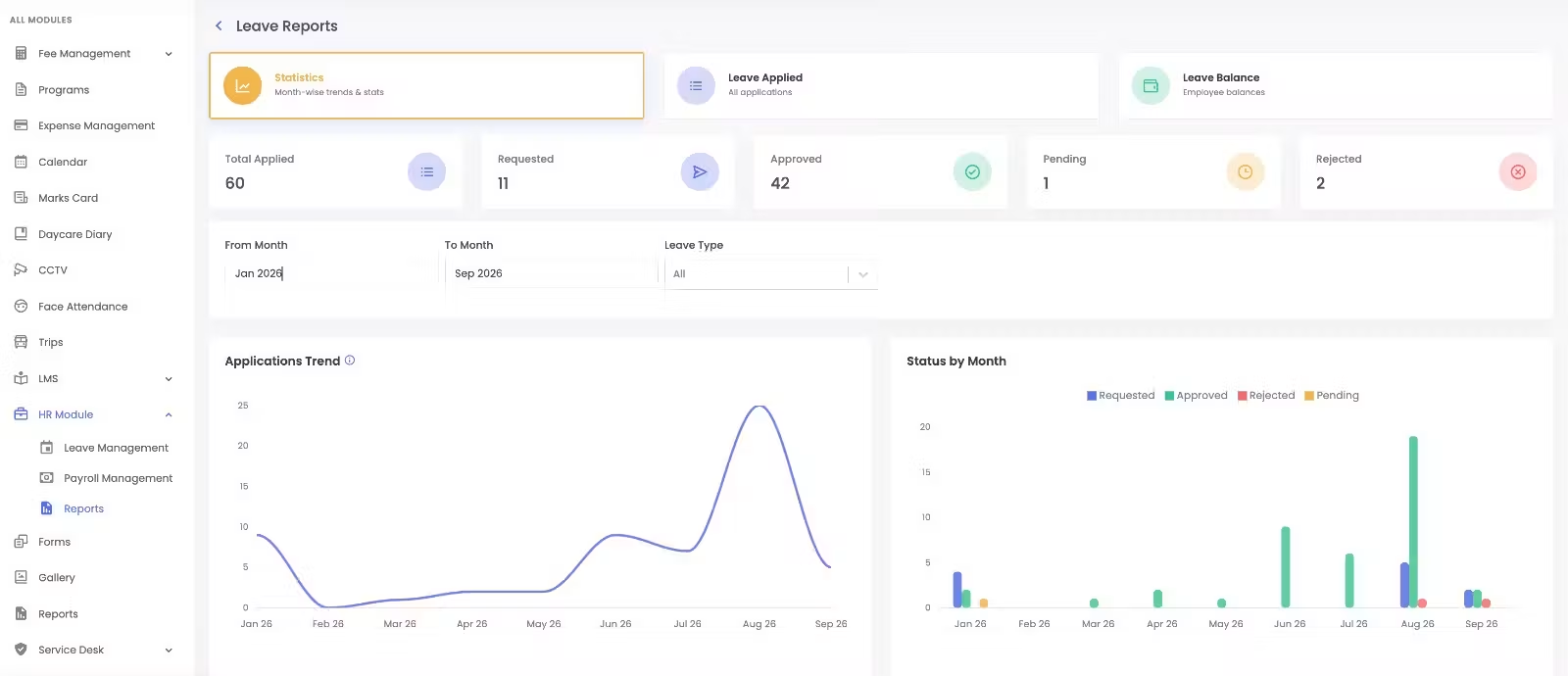
4. Leave Reports
- View each staff member’s Allocated, Approved, Pending, Rejected, and Current Balance.
- Add leave categories and make manual allocation adjustments when required.
- Statistics – View leave application trends and status.
- Leave Applied – View detailed leave applications with filters.
- Leave Balance – View Allocated, Used, and Balance for each employee.
- Reports can be downloaded in Excel format.
🎯 Benefits
- Centralized leave management
- Accurate staff leave balances
- Easier leave and Comp-Off tracking
- Better visibility through the Leave Calendar
- Quick access to downloadable leave reports