
Access Restriction
lil Triangle Release Notes
Release Date: 28 August 2026
Document Type: Enhancement
Modules: Students · Staff
Platforms: Web · Android · iOS
Release Highlight
Control Who Gets In, and When
Schools now have greater control over app access.
With this release:
- Schools can disable or re-enable parent app access directly from the Student Profile.
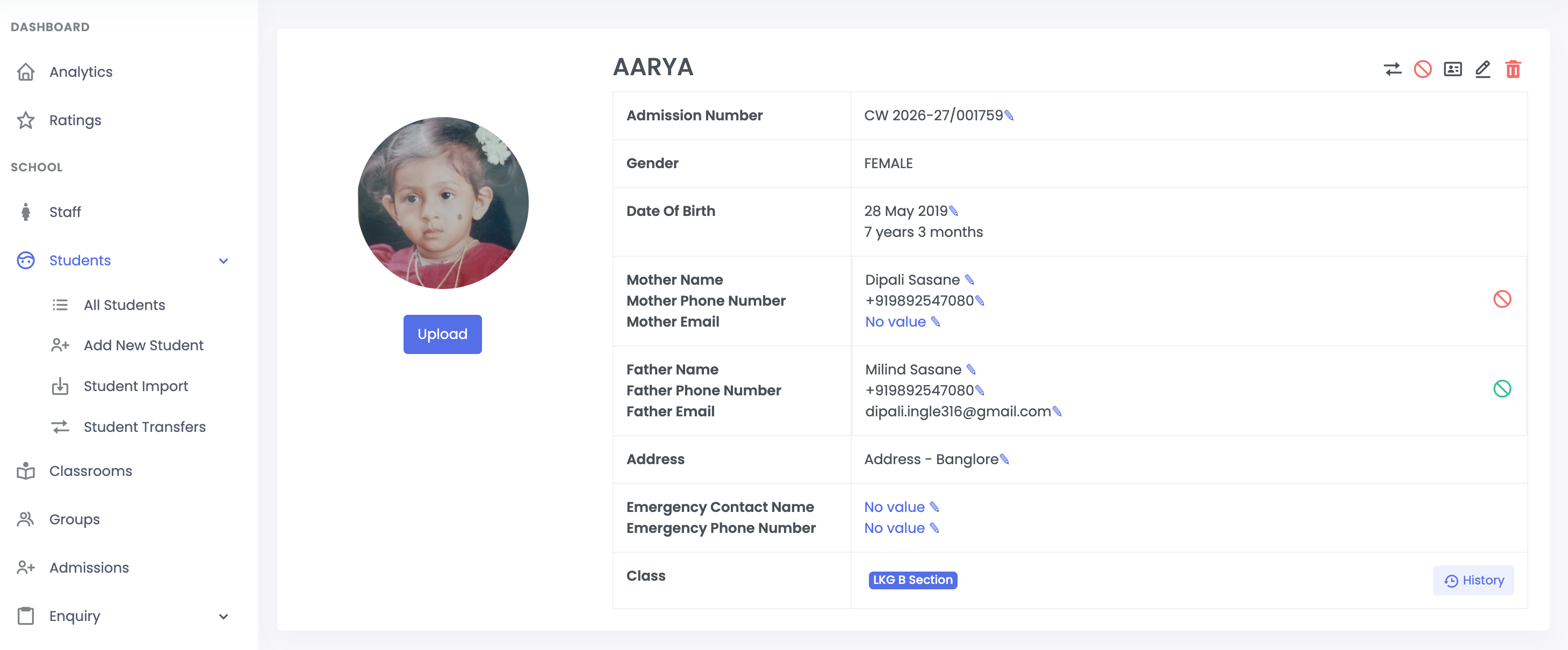
- Mother and father access can be managed separately, making it easier to handle single-parent and separated-family scenarios.
- Teachers must mark attendance before accessing the app for the day.
Feature 01: Parent App Access Control
Schools can now control whether an individual parent can access the lil triangle app directly from the Student Profile.
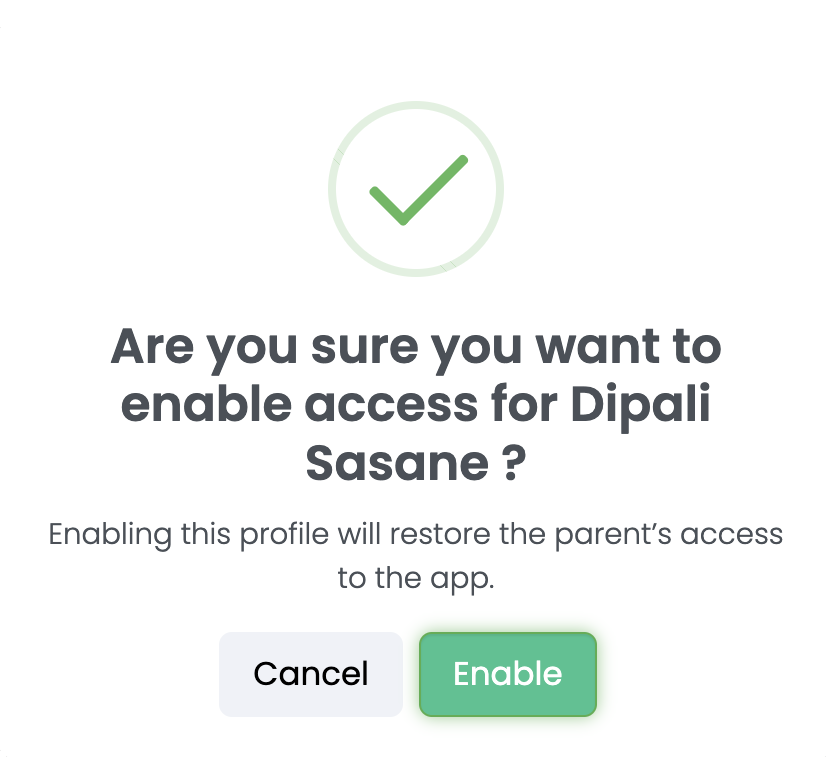
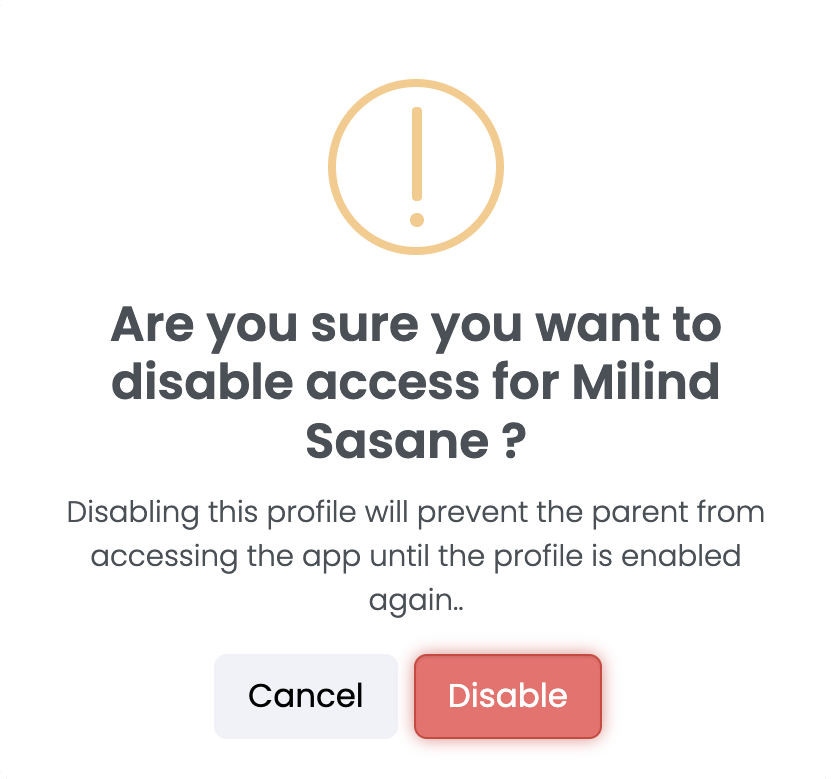
How it works
Student Profile → Parent Row → Access Icon → Confirm → Access Updated
Each parent row has an access control option.
Access Status
-
🟢 Green — Access Enabled
The parent can sign in and use the app. Click to disable
-
🔴 Red — Access Disabled
The parent cannot open the app. Click to restore access
Separate Parent Access
Access Can Be Restored
If access is disabled, the school can enable it again using the same control. Once enabled, the access icon returns to green.
Feature 02: Attendance-Based Access for Teachers
Teacher access to the lil Triangle app is linked to their daily attendance.
- If a teacher tries to open the app without checking in for the day, an "Attendance Required" prompt will be displayed.
- This attendance-based restriction applies only to teachers.
- Directors and Center Heads will have unrestricted access to the app.
- The attendance restriction will apply to teachers only when in settings the restriction has been enabled for them.
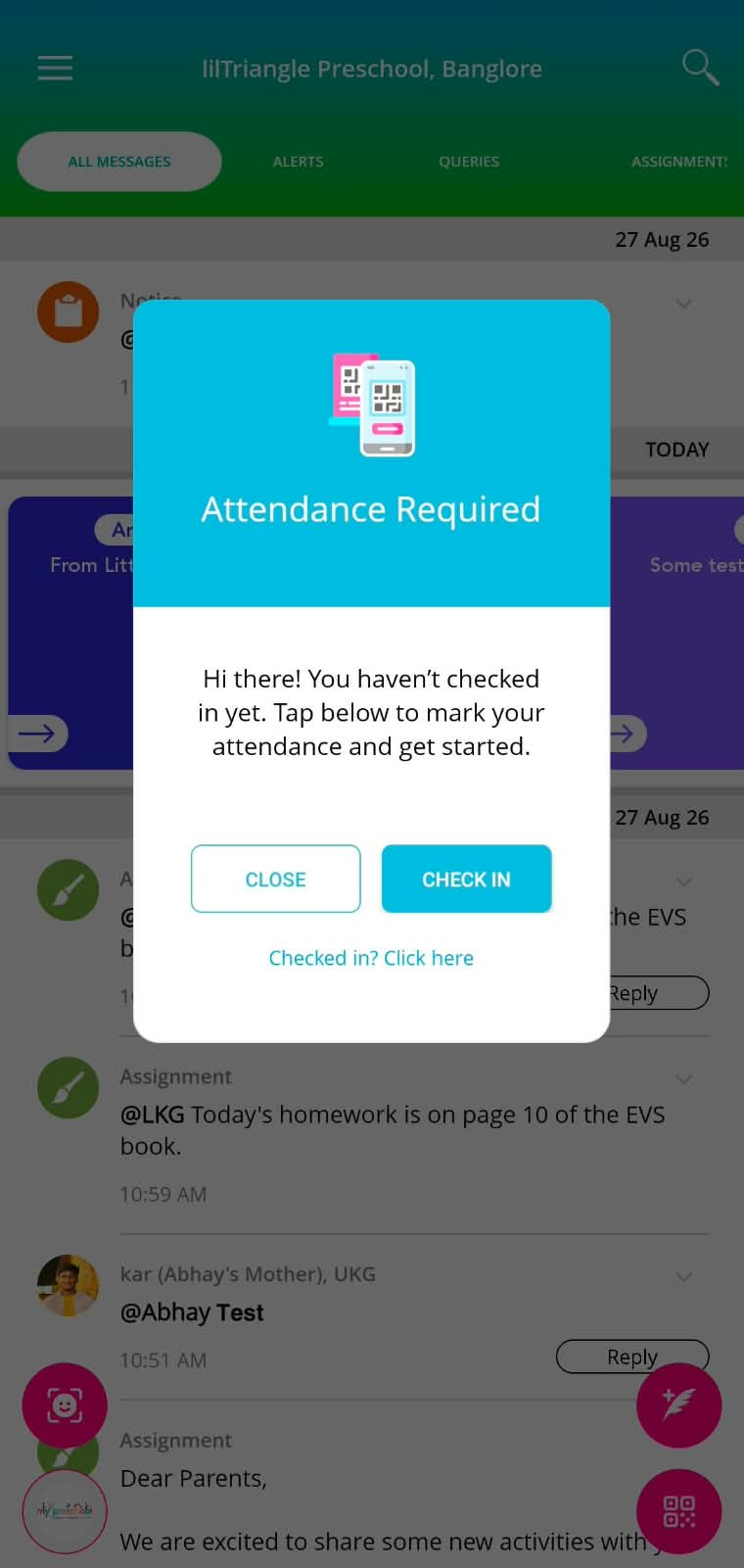
How it works
Open App → Attendance Required → Check In → App Unlocked for the Day
The prompt provides a direct Check In action.
Teachers who have already been marked present through another method can select:
"Checked in? Click here"
This allows them to continue using the app without unnecessarily checking in again.
Release Summary
This release gives schools greater control over who can access lil triangle and when.
- Parents: Access can be enabled or disabled individually from the Student Profile.
- Teachers: App access is unlocked after attendance is marked for the day.
- Schools: Access management becomes more immediate, flexible, and aligned with daily operations.